A fire animation is one of the best, eye-catching ways to reveal your logo and fire up your video. Perfect for YouTube channels, company intros, gaming intros, and many more.
Don't miss the chance to impress your audience with the cool fire intro video. Follow us to learn how to use FlexClip to create an AI fire logo reveal intro with preset AI logo animation templates or customize your fire intro manually to present your brand through burning fire and flames now.
Contents:
Professional Fire Intro Templates You Might Love
Before we dive into our topic, we'd like to share some professional AI fire intro animations and editable fire effect logo reveal video templates for your appreciation and inspiration!
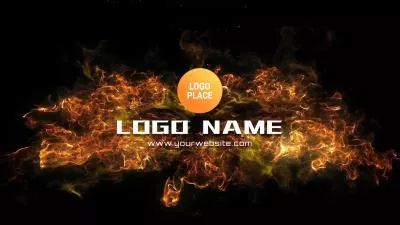

Interested in some AI-powered fire intro animation? We've got all covered even with AI logo animation! (Head to our templates page and use the 'Recreate' feature to try out the AI templates.)


Can't Miss: 5 Best 3D Intro Maker For Videos - Free Download >
Need a Free Logo? Try DesignEvo's online logo maker or popular logo editors to make your own.
Method 1 : How to Create a Fire Intro Video Automatically with AI Templates
AI is reshaping the creative landscape, particularly in photo and video editing. With AI-powered logo reveal animation generators, creating stunning, professional-grade logo reveals, such as dramatic fire intro effects, has become fast and accessible, even without any video editing skills.
FlexClip provides a wide range of AI-powered logo animation templates that let you craft eye-catching logo reveal videos in just a few clicks. Whether you're looking for dynamic fire explosions or other visual effects, simply pick a desired logo animation template, upload your logo, and let the AI do the work to produce a polished, high-quality animation effortlessly.
Now, let's check the steps below to learn how you can create stunning fire intro animation video using AI template at FlexClip:

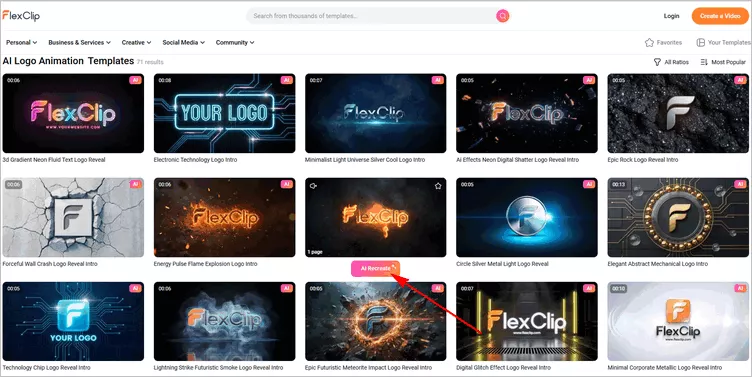
Create Fire Intro Animation with AI Templates - Select AI Template
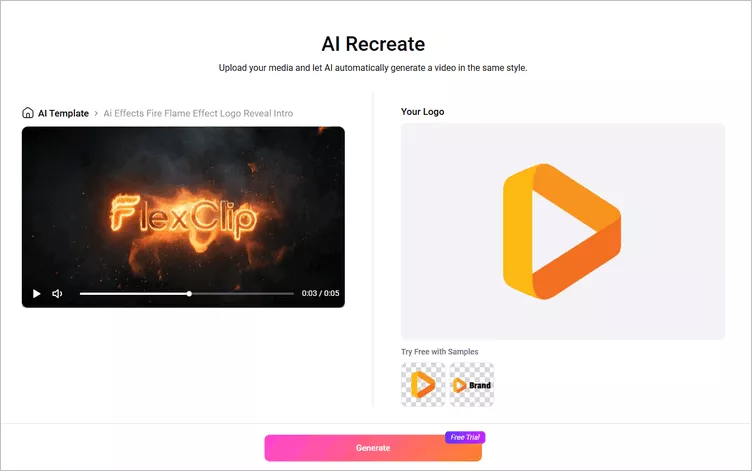
Create Fire Intro Animation with AI Templates - Upload Logo
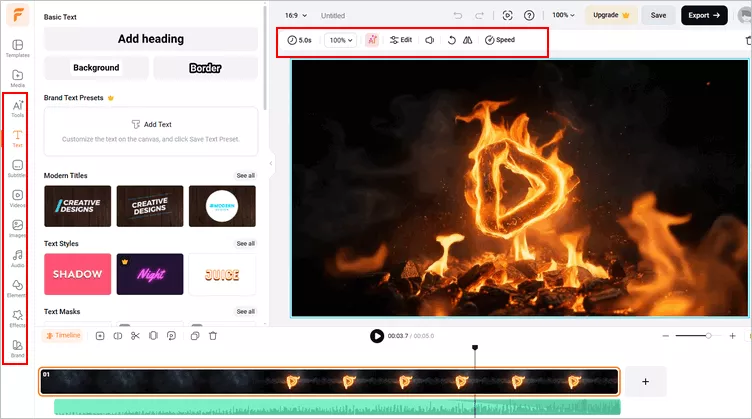
Create Fire Intro Animation with AI Templates - Preview & Download
Method 2: How to Create a Fire Intro Video Manually with Editable Templates
While AI-powered logo animation offers a quick and intuitive way to create fire intro video, editable intro video templates give you complete creative control over the final look. With these customizable options, you can fine-tune every detail to match your brand perfectly.
Follow the steps below to enhance your fire intro video using FlexClip's ready-made effects and fully editable templates!
Step 1 Pick a Editable Fire Intro Template
FlexClip offers various editable intro & outro trmplates for you to choose from, pick one fire intro that works with your project. You can also start from scratch with the button below.

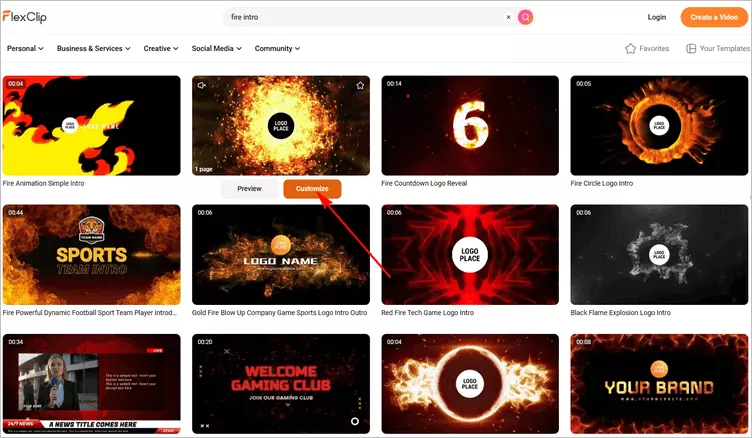
Image Board: Pick a Fire Intro Video Template
Step 2 Upload Your Logo
Upload your logo image to FlexClip either from PC or your mobile phone. You can also click the Replace icon on top of the screen to upload your own logo from a local file on your computer.
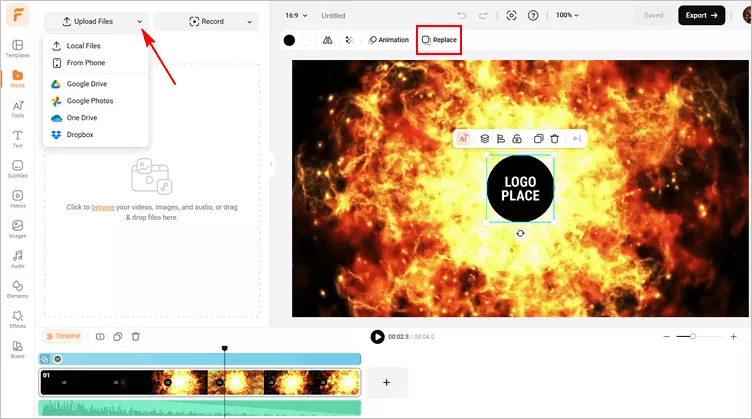
Image Board: Upload Your Logo
Step 3 Add and Edit Your Logo
Drag and drop your logo to replace the default logo image. If you need to crop your logo into a circle or any other shapes or remove the unwanted image background, just click the Crop or Remove Background tool above. You can adjust the opacity of the logo icon as well.
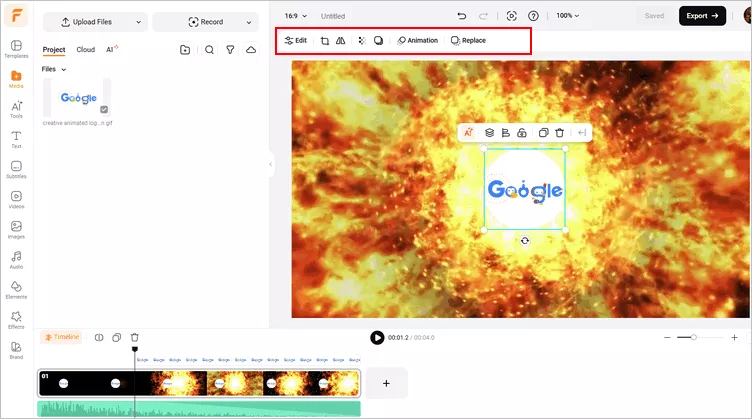
Image Board: Add Your Logo
If you're not satisfied with default logo effect of the template, you can also go to the Text tab, then Logo Overlay on the sidebar to pick one logo reveal effect you like. And then adjust the logo reveal animation at will: select the logo image > click Animation > select an animation for the logo reveal in your fire intro video, such as rotate, bounce, zoom, drift, dash, etc. and sets the duration and direction of the animation.
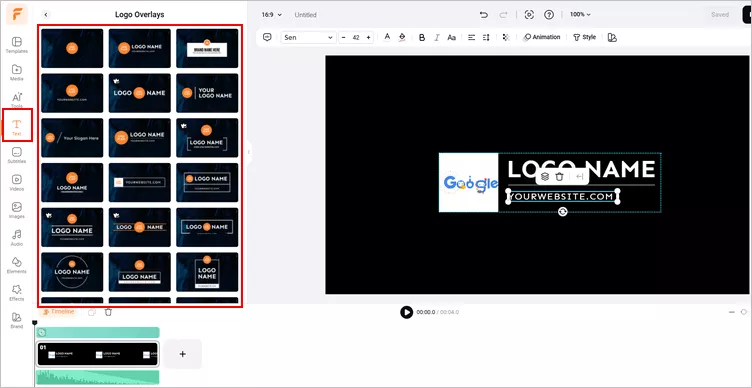
Image Board: Customize the Logo Reveal Animation
Step 4 Make More Edits
Make more edits to level up your fire intro video! Add and edit animated text to highlight your brand name, add background music and sound effect to set the tone of your logo reveal video. Besides, there are more effects and elements you can try to perfect your project, such as interesting overlay effects, emojis and more.
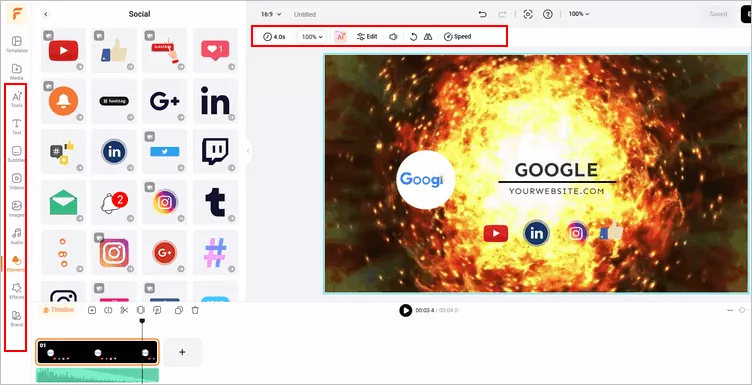
Image Board: Edit Your Fire Intro Video
Step 5 Preview and Export
Think you're all done? Click on the Preview button to preview your fire into video. If you're satisfied, you can directly download the fire intro to your PC or share it to Google Drive, Dropbox, or share the clickable link to your friends for their view, etc.
Bonus: Practical Tips for a Perfect Fire Intro
To create the perfect intro, you need to combine your idea with a set of specific elements. We should know what makes a good fire intro and what elements your fire intro should include.
Final Words
That's all there is to how to make a free fire intro. Thank you for reading this article, and if you are interested in more topics like this, you can check out more articles on our blog page.




FlexClip AI Video Maker
Reach professional-quality videos faster with easy editing tools, templates, and smart AI.
Start Now for Free
Hot & Trending
-

Best Ways to Find Music in YouTube Videos
-

Instagram Story Video Quality Bad After Upload? Fix It!
-

How to Repost Video on TikTok & How to Remove TikTok Repost
-

Improve Video Quality Online: 3 AI Video Quality Enhancers You Can't Miss
-

4K Convert to HD 1080p without Watermark: Best 4k Video Converters
-

Best 8 Free Video Editors - No Download Required
-

Top 13 Birthday Video Makers with Music and Effects Free
-

How to Search Filters on TikTok & Use a Filter You See - TikTok Filter Guide